CountersLive, on by default
Channels that count themselves.
Turn any channel into a live number: members, people online, a role, a goal, a countdown — up to four in one name. Rename the channel and Dexy keeps your wording.
- counter types
- 19
- counters per channel
- 4
- between updates
- 10 min
- command to set up
- 1
dashboard / counters
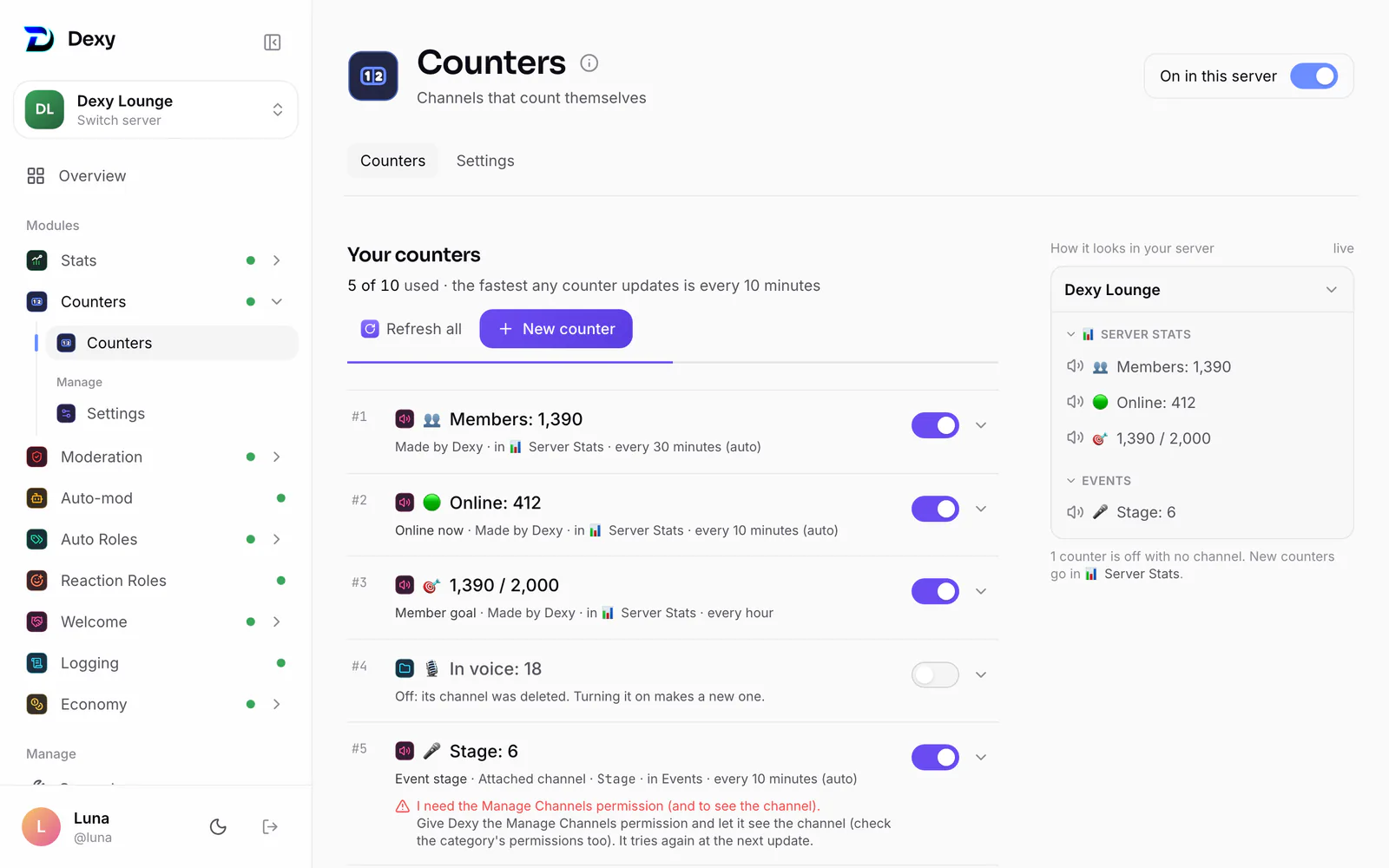
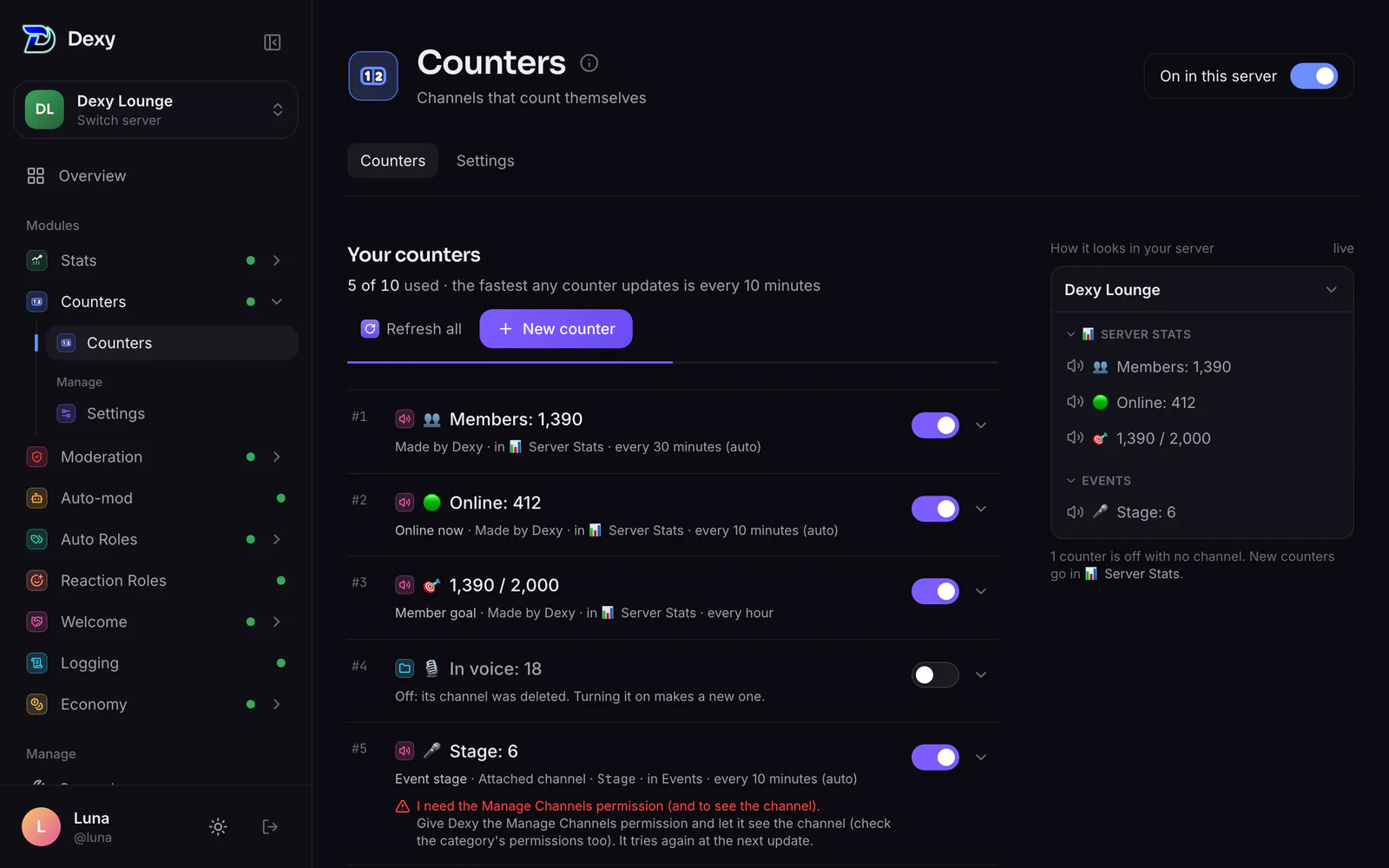
👥 Members: 1,284
Dexy Lounge
📊 Server Stats
👥 Members: 1,284
🟢 Online: 396
🎙️ In Voice: 17
🎯 716 to 2,000
⏳ —
Text channels
general
memes
🌐 dexy.gg
Live renames
- 🟢 Online: 391→🟢 Online: 396
- 👥 Members: 1,283→👥 Members: 1,284
- 🎙️ In Voice: 16→🎙️ In Voice: 17
- 🟢 Online: 388→🟢 Online: 391
Demo, time sped up — real counters update every 10 minutes, and only when the number changes.
Goal counter
716 to go
1,284 / 2,000 members
Countdown counter
⏳ —
{countdown:2026-12-31 23:59}
On the dashboard
Pick what it counts, see how it reads
Every counter in one list, shown the way your channel list will show it. Make a new one from a preset or write your own.
dexy.gg/dashboard/1402338625862161200/counters
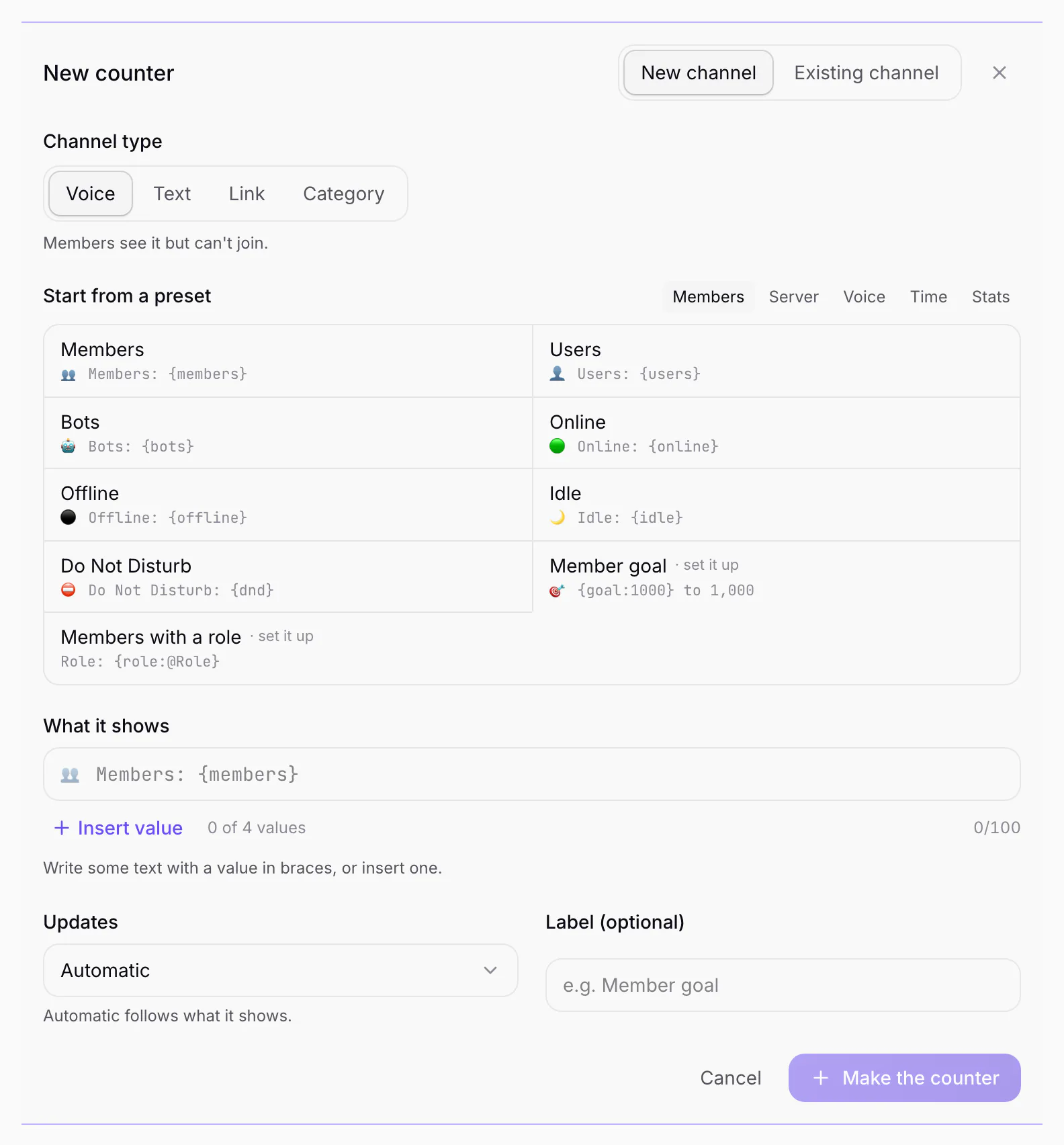
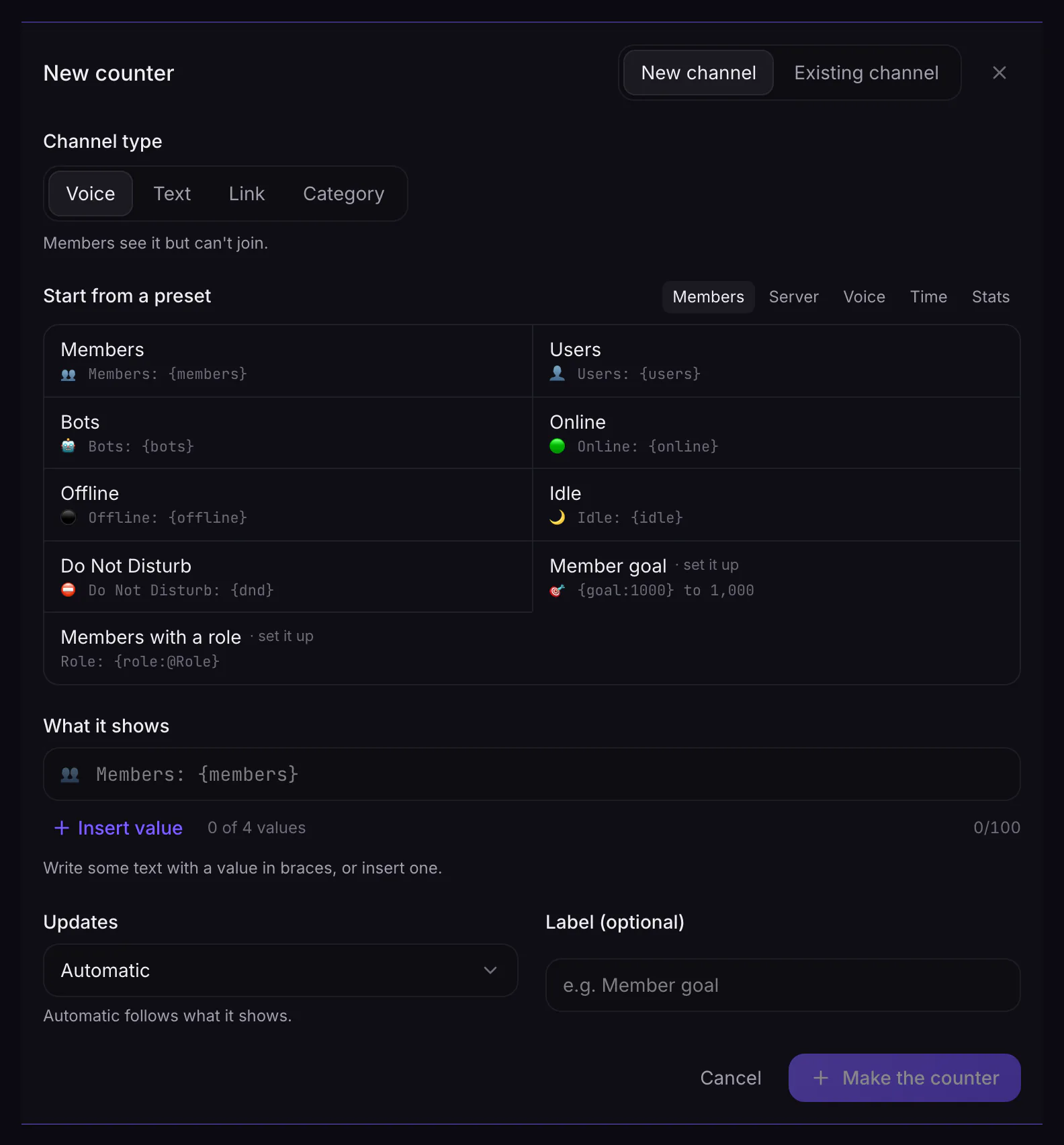
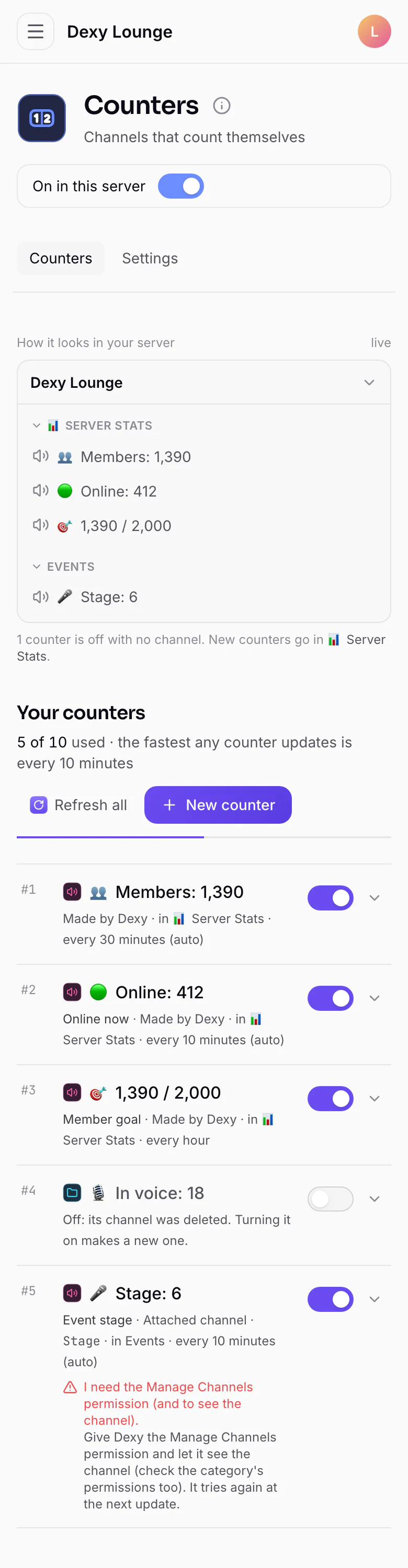
19 counters, up to four in one name
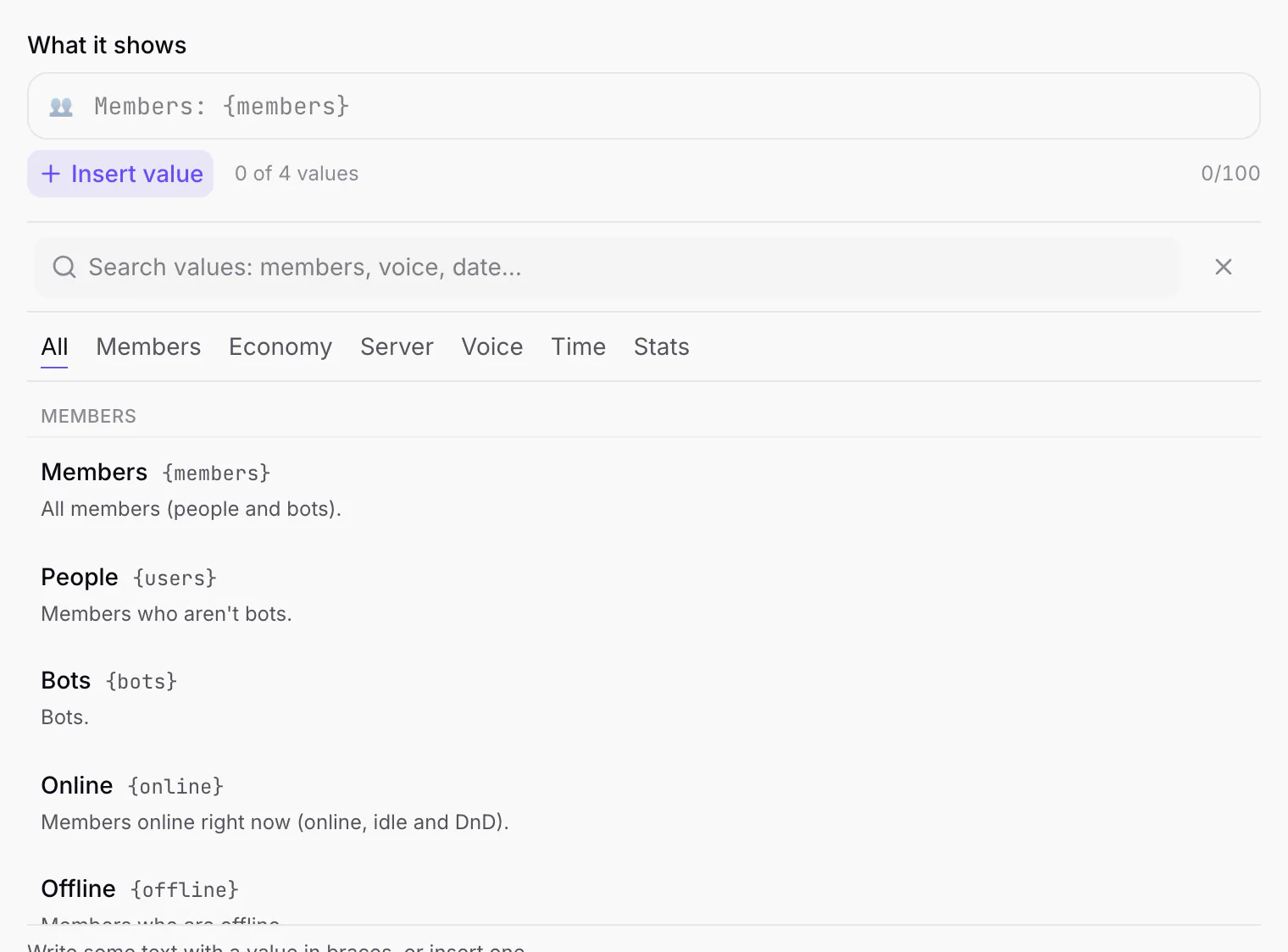
Write the channel name you want and drop counters into it — members, people online, a role, voice, emojis, a goal, a countdown, the date or time.
👥 {members}
👥 1,284
Voice, text or link
You pick with a reaction. Voice can't be joined, text is read-only, link opens your site or Dexy's invite.
👥 Members: 1,284
👥-members-1284
👥 Members: 1,284
Goals
Count down to a member milestone. The channel shows how many are still to go.
1,284 membersgoal 2,000
🎯 716 to 2,000
Countdowns & timers
Launches, events, the new year — a channel that ticks down to the moment.
—
days
—
hours
—
min
—
sec
Also {timer:…} counts up, and {time} / {date} show the clock.
Rename it, keep your words
Rename a counter channel like any other. Dexy keeps your wording and just keeps the number fresh.
👥 Members: 1,284
Dexy made it
Roles and statuses
Count a role, or only the people in it who are online. Online, idle and Do Not Disturb each have their own counter.
🎉 Event Team: 36
🛡️ Mods online: 4
🟢 396 · 🌙 61 · ⛔ 23
Every 10 minutes
Counters refresh on their own, and only when the number changes.
Locked for members
Voice counters can't be joined and text ones can't be posted in.
Set up in one command
A 📊 Server Stats category with Members, Users and Bots.
Refresh on demand
d!counter refresh updates them all right now.
How it feels
Set up in chat. Watch it count.
One command makes a Server Stats category. Dexy asks which kind of channel you want with reactions, makes them, and keeps them updated from then on.
- 🔊Pick voice, text or link with a reaction — or add --voice, --text, --link
- 🎯Presets for the usual counters, or write your own name
- 🔎Preview a name before making the channel
- ✏️Edit, turn off or remove a counter by its number
Dexy Lounge
📊 Server Stats
No counters yet
Text channels
general
Try it live
Write a name. See what it shows.
Type any channel name with counters in braces — or tap one below — and see exactly what Dexy would call the channel right now. Switch the channel type to see how Fluxer shows it.
- 19 counter types
- From members to countdowns
- Voice, text or link
- Pick with a reaction
- Every 10 minutes
- And only when it changes
- One-command setup
- d!counter setup
📊 Server Stats
👥 Members: 1,284
🟢 Online: 396
🤖 Bots: 9
Sample numbers from a demo server — in your server they're live.
Counter types
19 things a channel can count
Put any of these in braces in a channel name. Each card shows what it reads in our demo server right now.
{members}All members (people and bots).
1,284{users}Members who aren't bots.
1,275{bots}Bots.
9{online}Members online right now (online, idle and DnD).
396{offline}Members who are offline.
888{idle}Members who are idle.
61{dnd}Members on Do Not Disturb.
23{status}Members with any of these statuses:
online(green only),idle,dnd,offline.84{role}Members with a role;
|online|idle|dnd|offlinecount only those statuses.36{goal}Members still needed to reach a goal.
0
Presets
Ready-made, one word away
Skip the template: d!counter add online makes the 🟢 Online counter.
- 👥 Members: 1,284
members - 👤 Users: 1,275
users - 🤖 Bots: 9
bots - 🟢 Online: 396
online - ⚫ Offline: 888
offline - 🌙 Idle: 61
idle - ⛔ Do Not Disturb: 23
dnd - 🎭 Roles: 18
roles - 💬 Channels: 24
channels - #️⃣ Text Channels: 14
text - 🔊 Voice Channels: 6
voicechannels - 📁 Categories: 4
categories - 😀 Emojis: 53
emojis - 🖼️ Static Emojis: 42
static - ✨ Animated Emojis: 11
animated - 🎙️ In Voice: 17
invoice - 📅 17 Oct 2026
date - 🕒 18:30
time
Commands
Every Counters command
Pick one to see how to type it, what each part means, and a live demo.
21 commands
- Needs Manage Channels, or a role with Counters
- Needs Manage Channels, or a role with Counters
- Needs Manage Channels, or a role with Counters
- Needs Manage Channels, or a role with Counters
- Needs Manage Channels, or a role with Counters
- Needs Manage Channels, or a role with Counters
- Needs Manage Channels, or a role with Counters
- Needs Manage Channels, or a role with Counters
- Needs Manage Channels, or a role with Counters
- Needs Manage Channels, or a role with Counters
- Needs Manage Channels, or a role with Counters
- Needs Manage Channels, or a role with Counters
- Needs Manage Channels, or a role with Counters
- Needs Manage Channels, or a role with Counters
- Needs Manage Channels, or a role with Counters
- Needs Manage Channels, or a role with Counters
Setup
Counting in under a minute
- 01
Quick setup
Makes a 📊 Server Stats category with Members, Users and Bots counters. React to pick voice, text or link channels.
d!counter setup - 02
Add more counters
Use a preset or write your own name with any counters in it — up to four per channel.
d!counter add 🟢 {online} online - 03
Change what one shows
Edit by its number from the list. Renaming the channel by hand works too — Dexy keeps your wording.
d!counter edit 1 👥 {members} members - 04
Keep track
See every counter with its number and channel — use the number to edit, turn off or remove one.
d!counter list
FAQ
Questions, answered
About the Counters module. Anything else? Ask in the support server.
Every 10 minutes. d!counter refresh updates them all right away.
More modules
The rest of Dexy
You're on Counters21 of 304 commands
- Stats30 commandsCharts, leaderboards and invite tracking
- Moderation66 commandsKeep the peace without the busywork
- Auto-mod17 commandsRules that keep watch while you're away
- Auto Roles18 commandsRoles that hand themselves out
- Reaction Roles9 commandsReact to a message, get a role
- Welcome25 commandsGreet new members, and see them off when they leave
- Logging14 commandsKnow what changed, when, and by whom
- Economy104 commandsCoins, a shop and a profile card that follow members everywhere